


It’s that time of the year again, spooky costumes, sugar filled candies, and pumpkin carving! This year I decided to create a pumpkin carving of Evelyn Wade, from one of my favorite shows on Netflix this year, Wayward. If you haven’t heard of Wayward, it is a thriller set in the early 2000’s in a fictional town of Tall Pines where nothing is as it seems …
You can check out my previous pumpkin carvings in my artwork section here.
Using ChatGPT
In the past I’ve created and the pumpkin stencil by using some software and manually map out the cuts by hand. This year I’d thought I’d give chatGPT a try to make the stencil for me. Here’s my initial attempt and prompt:
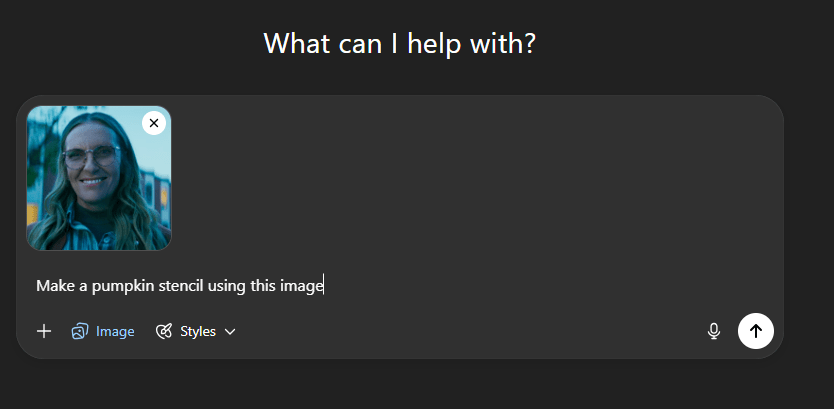

As you can see, this is a good initial attempt, but if you follow the stencil exactly, parts of the pumpkin will simply fall off since there is no consideration of the structural integrity of the pumpkin. Unfortunately, giving the prompt to “consider adding structural integrity of the pumpkin” or “highlight the areas where skin is to be removed in grey” did not help.

ChatGPT can do many things, but it doesn’t really know what a pumpkin is, therefore some manual work is required to fix it up.
Manual Editing
Since the first image is quite good already, that image is used as my starting point. I first used inkscape to vectorize the image, and then I imported it to Flash where I made my edits. Here are my trace bitmap settings.
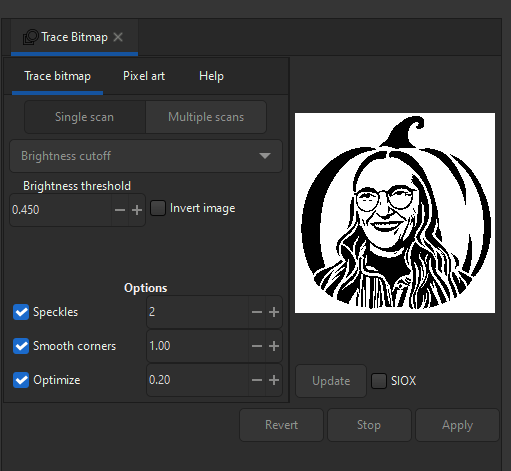
I removed parts that were unnecessary, clarified for myself which parts to cut out completely and which parts to leave behind. Black is pumpkin with skin on, gray is pumpkin with skin off, and white is complete pumpkin removal. Here is the end result!

Carving the Pumpkin
For this carving I’ve assembled some tools to help with the build. In addition to my usual carving equipment, I thought I would bring out the Dremel as well just in case, but I didn’t really end up using it much. I just mostly relied on my hand tools.
The first step is to tape the stencil securely onto the pumpkin, then carefully outline the design using a thumbtack. I did this step the night before opening the pumpkin, so I could focus entirely on carving the next day. Patience is key here, especially when working through sections with lots of small, intricate details.


Once all the outlining from the stencil is done, the pumpkin is ready to carve. The order in which you remove each section is important especially when working with fine details that could easily break or collapse.
To maintain the pumpkin’s structural integrity, I started by removing only the skin sections first, working from the smallest areas to the largest. Once that was done, I opened the pumpkin and cleared out the inside before cutting out the full sections of the pumpkin.
It always looks a bit off while you’re carving, but if you trust in the process, everything will come together in the end.


Conclusion
Although a lot of manual work is still involved, using ChatGPT to help create the stencil has definitely improved my process of creating pumpkin stencils. In the past, it has always been a struggle to find the right image and do the correct post processing. I would absolutely use this method again in my future carvings.
This project illustrates how AI can help with a creative task, mixing some digital intelligence along with some analog intelligence. At the end of the day AI still doesn’t really know what a pumpkin is. It can’t feel its weight, the texture of its skin, or the scent when it’s freshly opened. Maybe one day it will get there, but for now, humans are still not obsolete!
Leave a Reply